PlanGive every route a clear start.
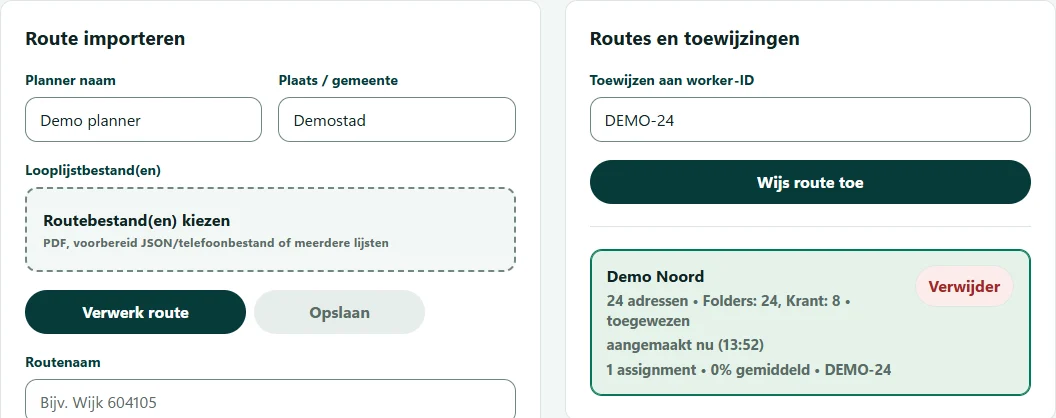
Import supported route files, review addresses and products, then assign prepared routes to a worker ID.
Check your route format with us during the demo.
Delivery & distribution
Prepare routes, guide delivery teams and track recorded progress in one platform.
A prepared route becomes a working address list.
The team’s recorded progress comes back to the planner.
Import supported route files, review addresses and products, then assign prepared routes to a worker ID.
Check your route format with us during the demo.
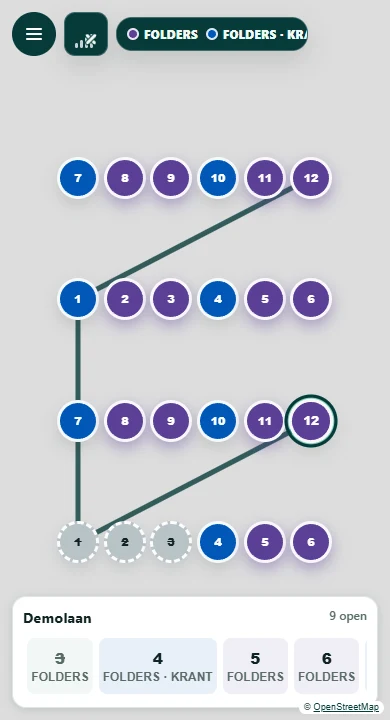
Open assigned routes on a phone. See address and product details, choose a local walking order and record checkoffs along the way.
Checkoffs are retained when the connection drops and sync when it returns. Map access still needs connectivity.
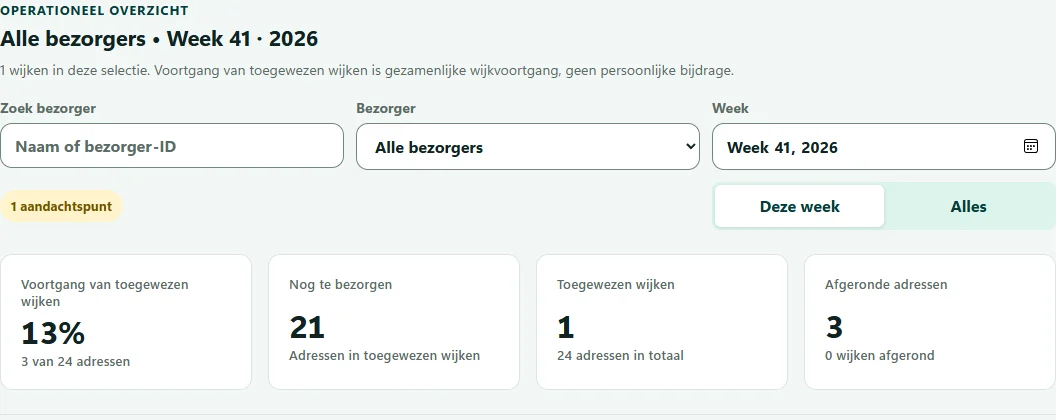
Review synchronized address progress in the admin dashboard. See remaining work and when progress was last received.
A checkoff records progress; it does not verify delivery. Visibility depends on synchronization.
For door-to-door distribution, printed-material delivery and local or regional delivery teams.
Move the working list off paper and into the route.
Address details, product quantities and checkoffs stay together. Workers can open several assigned areas as one run, while planners can review the progress received for each route.
Bring a representative route to a demo. We can discuss how your lists, preparation process and delivery workflow fit NVGTR.
Discuss your operationDemo & pilot conversations
Walk through the platform and discuss a focused pilot with your own route format and team workflow.
Tell us about your routes, delivery team
and what you would like to explore.